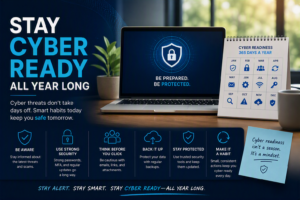
As we travel more frequently, especially through airports and public spaces, we must remain vigilant about our cybersecurity. Have you ever plugged your device into a public USB port or connected to free Wi-Fi? It might seem convenient, but it can also expose you to significant cyber risks!
The TSA warns that using public USB ports can lead to “juice jacking,” where malware is transferred to your device through a corrupted USB cable. Similarly, free Wi-Fi networks often lack proper security measures, making your data and your logon credentials vulnerable to interception.
Here are some recommended actions to keep your information safe while traveling:
- Avoid Public USB Ports: Instead of charging at public ports, carry a portable charger or use a standard wall outlet with your charger cable.
- Stay Away from Free Wi-Fi: If possible, avoid connecting to free public Wi-Fi altogether. Use your mobile data instead, or consider a personal hotspot for safer access.
- Use a VPN: If you must connect to public Wi-Fi, always use a Virtual Private Network (VPN) to encrypt your data and protect your information from prying eyes. We recommend you not logon to sensitive websites or apps (banking/ medical/ etc…) while on the public WiFi even when using VPN for added protection.
- Enable Two-Factor Authentication: Ensure that your accounts are protected with two-factor authentication to add an extra layer of security.
- Keep Software Updated: Regularly update your device’s software and apps to safeguard against vulnerabilities.
Remember, a little precaution goes a long way in protecting your cyberspace while on the go! Stay safe and secure! ✈️🔐